CHRONOX AI MCP
Connect your AI assistant to your Chronox AI Unified Inbox
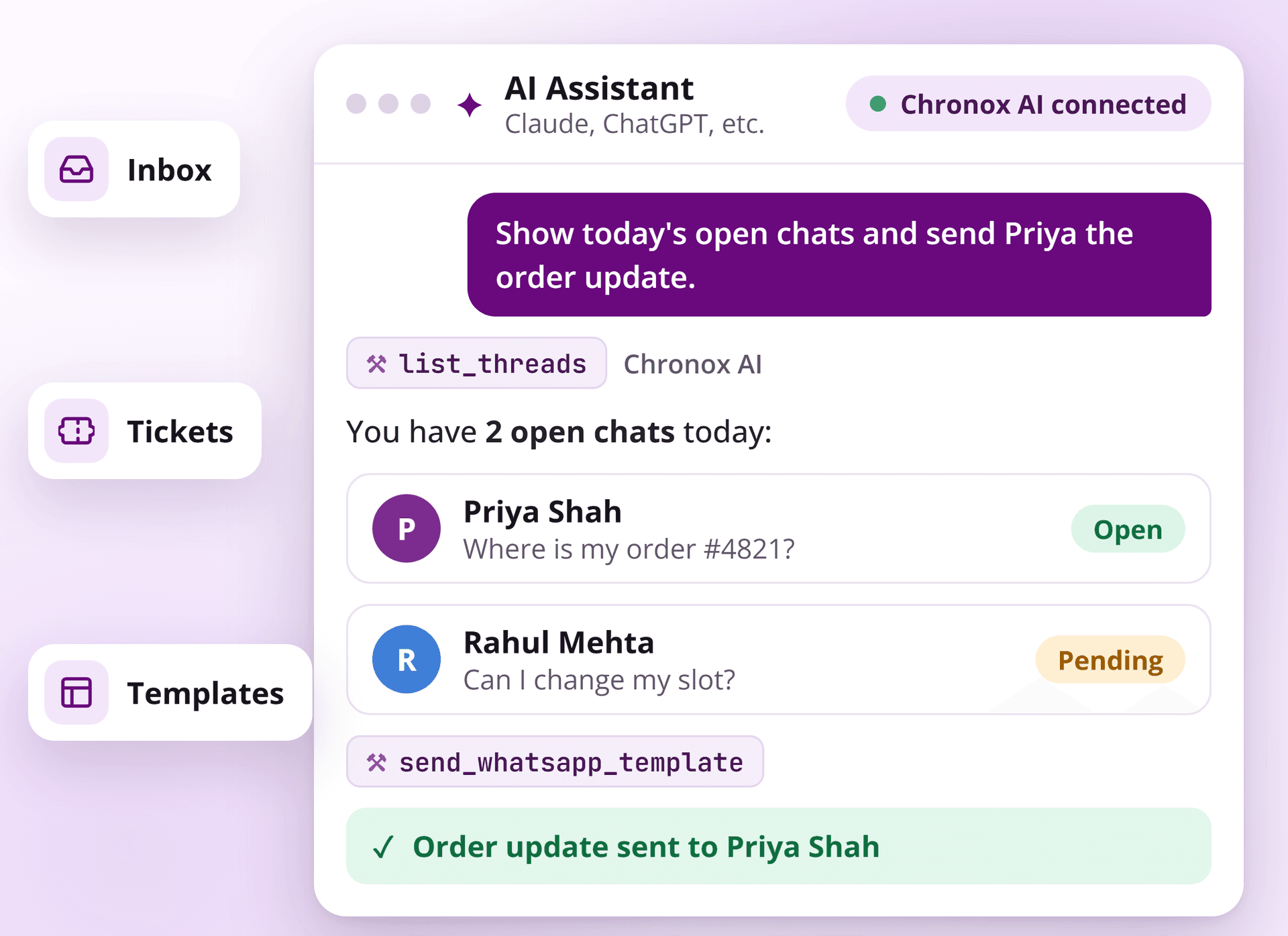
Chronox AI MCP lets Claude and other AI assistants work inside your Chronox AI Unified Inbox. Find conversations, reply to customers, manage notes and tickets, and look up WhatsApp channels, all in plain words.
NOTHING TO INSTALL
One URL, One secure sign-in, and your assistant is ready
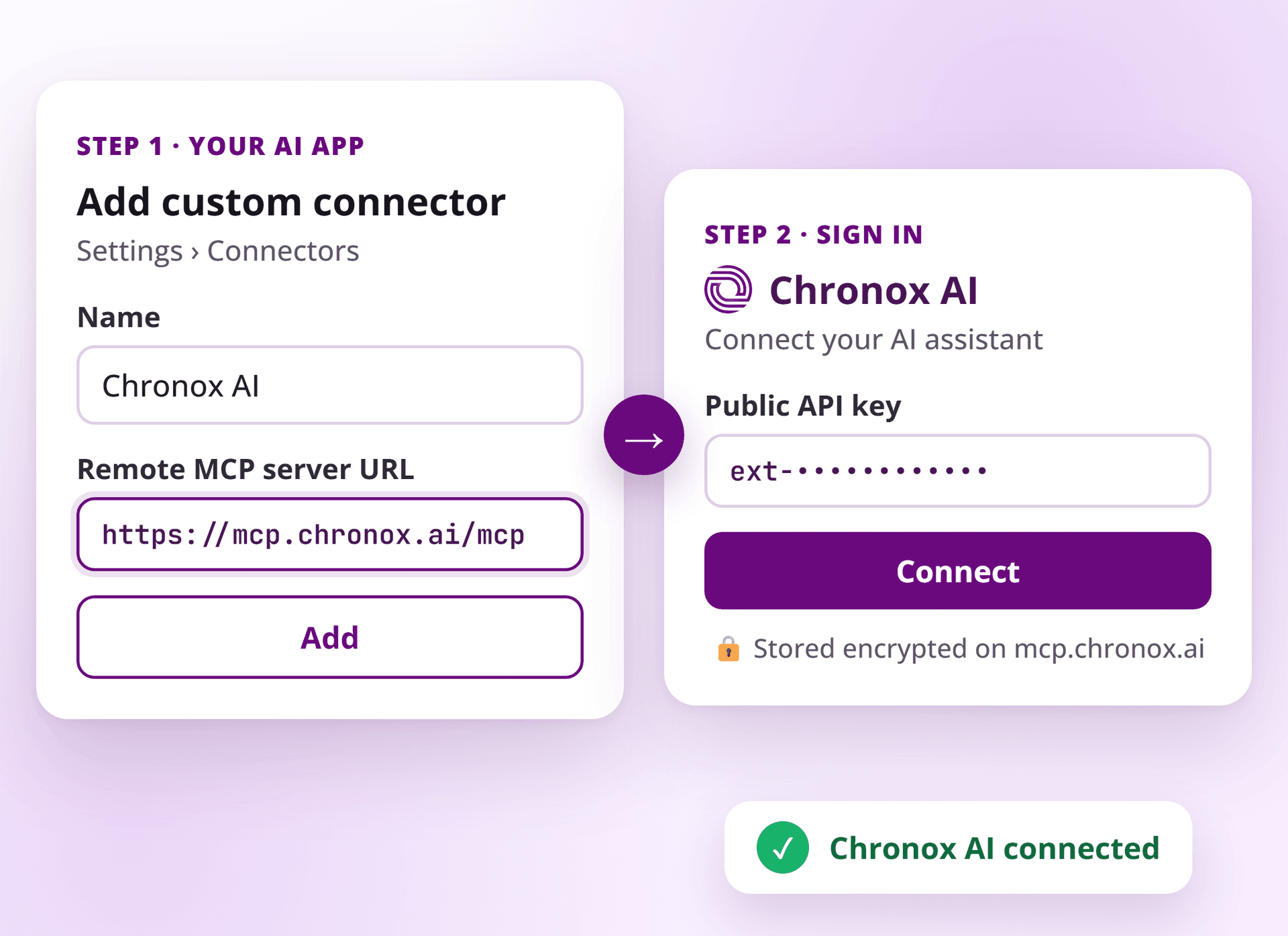
Chronox AI MCP is a hosted server at mcp.chronox.ai. Add it as a custom connector in your AI app and sign in once with OAuth. There are no downloads, config files or local servers to run.
What your AI assistant can do with Chronox AI MCP
Inbox and Threads
Find any conversation
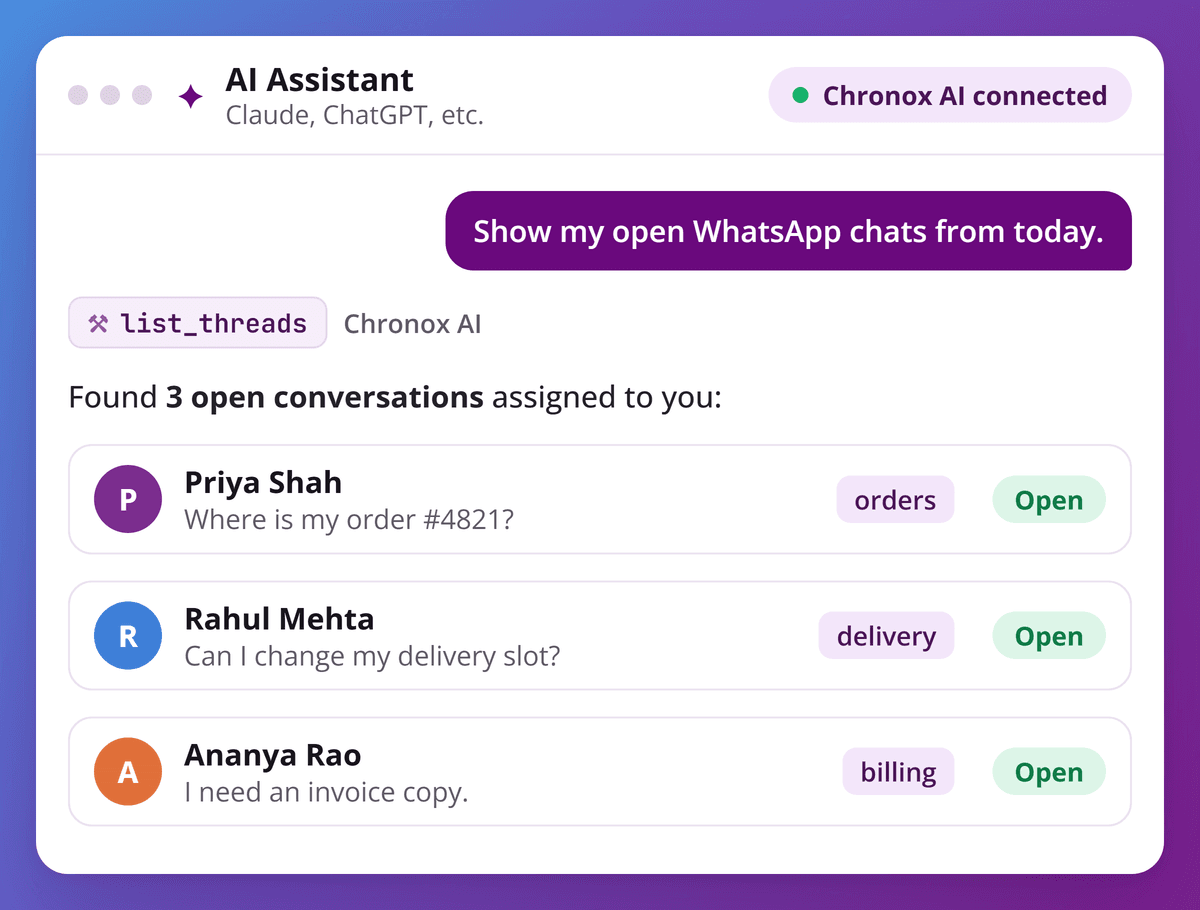
List conversations with every inbox filter, such as channel, status, assignee, tags and date. Open any thread to read its full message history and linked tickets, so your assistant always answers with the real context of the chat.
Connect in four steps
OAuth sign-in: no config files, and no API keys stored in your AI app.
- 1
Add a custom connector
In your AI app, open Settings › Connectors, add a custom connector named Chronox AI and paste the server URL.
- 2
Click Connect
Your AI app opens the secure Connect to Chronox AI page on mcp.chronox.ai.
- 3
Paste your Public API key
Enter your Chronox AI Public API key (it starts with ext-). It is checked and stored encrypted on the Chronox AI server.
Get your key on the API Keys page → - 4
Start asking
Turn on Chronox AI in a new chat and run your inbox in plain words.
Pick your AI app
- In Claude (web or desktop), open Settings › Connectors and click Add custom connector.
- Name it Chronox AI, paste the server URL and click Add.
- Click Connect and sign in on the Chronox AI page with your Public API key, then turn on Chronox AI from the tools menu in a new chat.
https://mcp.chronox.ai/mcpOnly enter your Public API key on the Chronox AI sign-in page at mcp.chronox.ai, never in a chat message or a config file.
Your customer data stays protected
Giving an AI assistant access to customer conversations is a big step, so Chronox AI MCP is built with security in every layer.
Sign-in
OAuth 2.1 with PKCE. You sign in on a Chronox AI page, not inside the AI app.
Your API key
Stored encrypted on the Chronox AI MCP server. The AI app never sees it.
Session tokens
Access tokens expire after 1 hour. Refresh tokens rotate on every use and expire after 30 days.
Data access
Every tool works only on your own organization's data.
Sending messages
Sends are rate limited per organization to prevent runaway messaging.
Activity log
Every tool call is logged for your organization and deleted automatically after 30 days.
Brief your AI assistant like a teammate
Once Chronox AI MCP is connected, just say what you need. Your assistant finds the right conversation, understands the context and takes action in your Chronox AI Unified Inbox.
- Show me all open WhatsApp conversations assigned to me today.
- Summarize my last conversation with Priya Shah and tell me what she is waiting for.
- Reply to Rahul: your delivery slot is moved to tomorrow, 10 AM to 1 PM.
- Send the order_update template to Priya with order number 4821.
- Add a note to this thread: customer asked for a refund, follow up on Friday.
- Create a ticket for this chat and assign it to Aditi.
- Which of our WhatsApp templates are approved for marketing?
Frequently Asked Questions
Everything you need to know about connecting your AI assistant to Chronox AI.
Chronox AI MCP is a hosted MCP (Model Context Protocol) server that connects AI assistants such as Claude to your Chronox AI workspace, so they can read and act on your inbox, tickets and WhatsApp channels.
Any AI app that supports remote MCP servers with OAuth sign-in, including Claude, Claude Code, ChatGPT, Codex, Cursor, VS Code with GitHub Copilot and Gemini CLI.
No. Chronox AI MCP is a hosted server. You add one URL to your AI assistant and sign in once. There are no downloads, config files or local servers to run.
No. You enter your Public API key only on the Chronox AI sign-in page. It is stored encrypted on the Chronox AI MCP server, and your AI app only receives a session token.
Yes. It can send manual messages, canned responses and approved WhatsApp templates. Normal WhatsApp rules still apply, so outside the 24-hour customer service window you need an approved template.
No. Channel tools are read-only. The assistant can view numbers, WhatsApp Business Accounts, templates and Flows, but it cannot edit them.
Remove the Chronox AI connector from your AI app. To cut off access completely, delete the Public API key you used in Chronox AI.
Yes. Every tool call is logged for your organization for auditing and is deleted automatically after 30 days.
AI Chatbot simplified
Streamline customer support with AI-driven chatbots that are easy to set up and scale.


Chronox AI Private Limited


