


Introduction
In 2026, WhatsApp communication is no longer limited to sending simple updates.
Businesses now use WhatsApp for promotions, reminders, customer engagement, verification, onboarding, and complete customer journeys.But as communication grows, another challenge becomes more common: Creating structured WhatsApp templates at scale.Many businesses know what they want to communicate.
The real challenge is structuring messages properly, organizing communication workflows, maintaining consistency, and building reusable templates that teams can scale efficiently. That’s why many businesses now use ready-made templates to simplify message creation and speed up campaign preparation with Chronox.ai’s Template Library.
What Is a WhatsApp Template Library?
A WhatsApp Template Library is a collection of prebuilt templates designed for different business communication needs.Instead of manually creating every message from scratch, businesses can:
- browse existing templates,
- filter templates based on industry and category,
- customize messaging,
- and launch campaigns much faster.
At first glance, this may seem like a simple convenience feature.
But operationally, it solves a much bigger problem.Without an organized template system, teams often spend extra time recreating similar messages, managing communication manually, and maintaining consistency across campaigns.The Template Library simplifies all of this by making communication reusable and organized.
Common Challenges in WhatsApp Template Creation
Most businesses struggle with WhatsApp template creation because it’s not always easy to decide what type of content, structure, or messaging format should be used for different campaigns.When teams manage promotions, reminders, customer updates, OTP verification, and engagement campaigns, creating every template from scratch becomes time-consuming and repetitive.That’s where ready-made templates become valuable.Instead of starting with a blank screen, businesses can use prebuilt templates to get ideas for message structure, content flow, formatting, and communication style. This helps teams save time, reduce manual effort, and launch WhatsApp messages and campaigns much faster.
How Chronox AI’s Template Library Works
Step-by-Step Workflow
- Open the Template Library inside Chronox AI
- Browse ready-made WhatsApp templates
- Search templates based on communication needs
- Filter templates by industry: education, healthcare, finance, e-commerce, logistics, technology, hospitality, real estate, entertainment, automotive
- Filter templates by category – Marketing, Utility, Authentication
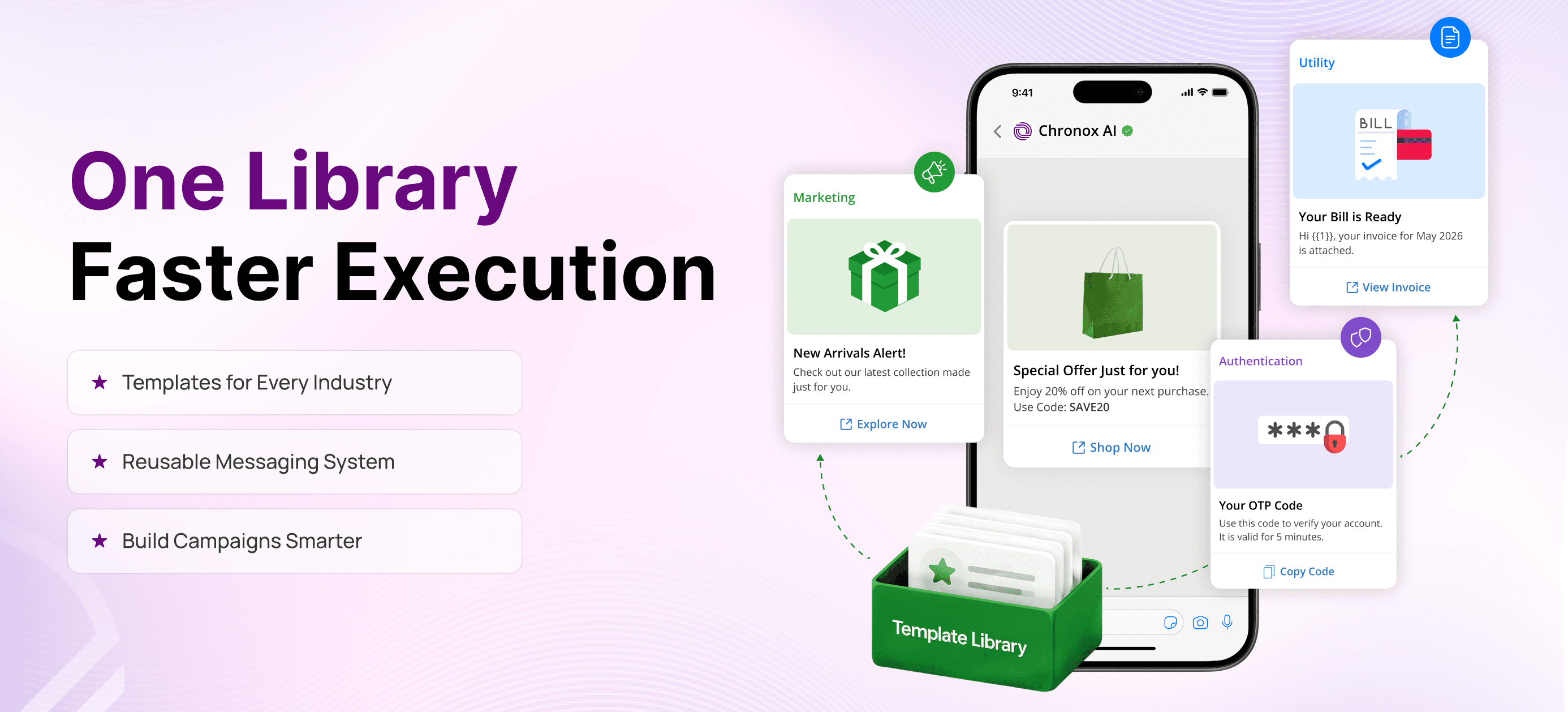
- Preview templates in WhatsApp-style message cards
- Modify and customize templates
- Save templates or directly use them in campaigns
- Reuse templates across future communication workflows
- Launch campaigns faster with more structured messaging
How Ready-Made Templates Simplify Message Creation
Creating WhatsApp messages often involves deciding the right structure, content flow, formatting, and call-to-action before a campaign can be launched.Ready-made templates help simplify this process by providing a starting point for different communication needs. Instead of beginning with a blank screen, teams can browse prebuilt templates, understand recommended message formats, and customize them based on their requirements.Templates can be especially useful when creating marketing campaigns, reminders, customer updates, authentication messages, and other recurring communications. They help reduce the time spent planning message structure while maintaining consistency across different campaigns.By offering reusable formats and content ideas, a Template Library makes message creation faster, more organized, and easier to manage as communication requirements grow.
What Makes Chronox AI’s Template Library Different
The Template Library is designed to make template discovery, customization, and campaign preparation more organized. Instead of treating templates as isolated messages, it treats them as reusable communication assets.
Key Capabilities
1. Industry-Based Template Filtering
Businesses can quickly find templates relevant to their industry.
2. Category-Based Organization
Templates are separated into Marketing, Utility, and Authentication. This makes communication management easier.
3. WhatsApp-Style Preview System
Templates appear as realistic WhatsApp message previews instead of plain text.
4. Ready-Made Editable Templates
Users can modify existing templates instead of creating new ones from scratch.
5. Faster Campaign Preparation
Businesses can prepare and launch campaigns more efficiently while maintaining consistency across teams and communication workflows.
How Industry Filters Improve User Experience
Different industries require completely different communication styles.For example:
- Education businesses may need webinar reminders and attendance notifications.
- Healthcare organizations may focus on appointment reminders and patient updates.
- E-commerce brands often prioritize order updates and promotional campaigns.
The Industry Filter helps users instantly access templates relevant to their business type instead of searching through unrelated communication formats.This improves campaign organization, usability, and communication efficiency.
Organized Communication with Category-Based Templates
The Template Library also categorizes templates based on WhatsApp Business communication types.
| Category | Purpose | Example Use Cases |
|---|---|---|
| Marketing | Promotional communication | Offers, campaigns, product launches |
| Utility | Informational communication | Reminders, confirmations, updates |
| Authentication | Verification communication | OTPs, secure login verification |
This structure helps businesses organize communication more effectively across multiple workflows.
A More Visual and Beginner-Friendly WhatsApp Template Workflow
One of the biggest advantages of a Template Library is its visual-first experience designed for both technical and non-technical users. Instead of working with:
- plain text,
- complicated formatting,
- or confusing template structures.
Users can preview templates as realistic WhatsApp-style message cards before launching campaigns. This makes it easier to instantly understand:
- how messages will appear to customers,
- how CTA buttons will look,
- and how the overall communication experience will feel in real conversations.
The visual preview system simplifies template creation and helps teams build campaigns with greater clarity and confidence.As a result, marketers, support teams, operational users, and business teams can create and manage WhatsApp communication faster without needing technical expertise.
Why Businesses Prefer Ready-Made WhatsApp Templates
Many businesses still create WhatsApp campaigns manually, especially for customized communication. However, using ready-made templates helps simplify this process by reducing repetitive work and speeding up campaign preparation. Instead of creating every message from scratch, teams can use prebuilt templates as a starting point and customize them based on their communication needs.This allows teams to focus more on communication strategy instead of repetitive setup work.
Common Use Cases of WhatsApp Templates
Businesses use Chronox AI’s Template Library for multiple communication workflows, including:
- Promotional campaigns
- Webinar reminders
- Appointment confirmations
- OTP verification
- Order updates
- Payment reminders
- Customer onboarding
- Event notifications
- Lead nurturing campaigns
- Customer engagement workflows
Conclusion
In 2026, businesses are managing more WhatsApp communication than ever before, from promotions and reminders to customer updates and engagement campaigns.As communication grows, creating every message from scratch can slow down workflows and make campaign management more difficult. That’s where ready-made templates become valuable.With a WhatsApp Template Library, teams can reduce repetitive work, find inspiration for message structure, and organize communication more effectively. Whether it's a marketing campaign, reminder, customer update, or authentication message, ready-made templates help businesses move faster while maintaining consistency across their communication workflows.Because sometimes, faster execution starts with having the right template ready.
FAQs
Q1. What is a WhatsApp Template Library?
A collection of ready-made WhatsApp templates designed for different business communication needs.
Q2. Why should businesses use ready-made templates?
They help reduce setup time, improve consistency, and simplify campaign creation.
Q3. What industries can use Chronox AI’s Template Library?
Education, healthcare, finance, e-commerce, logistics, hospitality, technology, and more.
Q4. What categories are available in the Template Library?
Marketing, Utility, and Authentication.
Q5. Can businesses customize WhatsApp templates before launching campaigns?
Yes, templates can be modified before being used in campaigns.
Q6. How does Chronox AI help businesses?
It simplifies template management, improves communication organization, and speeds up campaign execution.


